
Before You Start
Do not cut open
The crate is designed to be opened from the top. Never cut into it, as a blade can reach the instrument inside. Cut only the outer wrap and the securing strips.
Two-person lift
Two people are needed to lift the VideometerLab off the pallet. Agree on the route and the destination surface before you lift.
Instrument weight
The instrument is heavy and top-shaped for handling with two hands. The exact weight is stated on the shipping label. Check it before lifting.
Keep the packaging
Keep the pallet, crate and carton frame. You will need them if the instrument is moved to a new location or returned for maintenance.
Unboxing VideometerLab
01
Remove the wrap and strips
Place your pallet in a large environment, close to a table or other sturdy surface.
Your pallet will be covered in wrap and held secured with several strips.
First, carefully cut and remove the wrap. Then, cut and remove the strips. Always make sure you are not cutting the carton box.
The box should now be as in Picture 1.
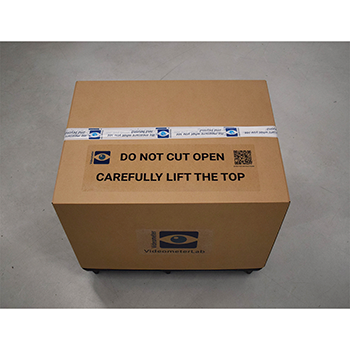
PICTURE 1 wrap and strips removed
02
Lift off the top of the box
Carefully lift and remove the top of the box, without cutting it open.
Slowly lift the top part of the box, as seen in Picture 2, carefully removing it from the bottom.
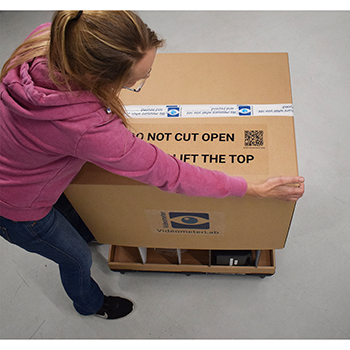
PICTURE 2 lifting the top off
03
Remove the carton frame and plastic wrap
Lift and remove the carton frame.
First, remove the carton frame as seen in Picture 3. Then, remove the plastic wrap around the VideometerLab (Picture 4).
Your instrument should now look as in Picture 5.
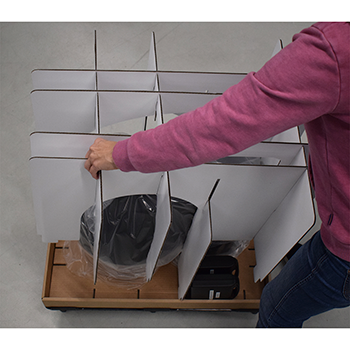
PICTURE 3 removing the carton frame
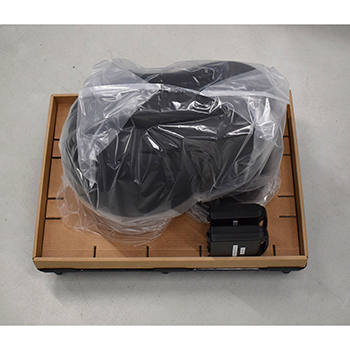
PICTURE 4 plastic wrap around the instrument
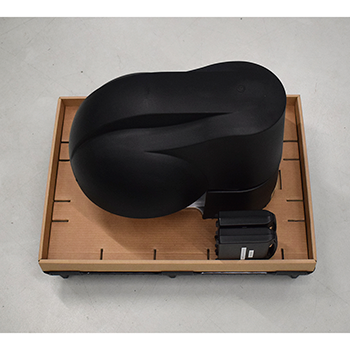
PICTURE 5 unwrapped on the pallet
04
Place the instrument and install it
Carefully lift the VideometerLab and place it on a flat and sturdy surface.
Follow the instructions in the VideometerLab User and Mantainance Manuals to install the VideometerLab correctly.
The manuals can be found in the VideometerLab Software under Help – User Manuals – Imaging Devices.
It is a good idea to save the boxes for eventual future use (moving the instrument to a new location, shipping for mantainance, etc.).
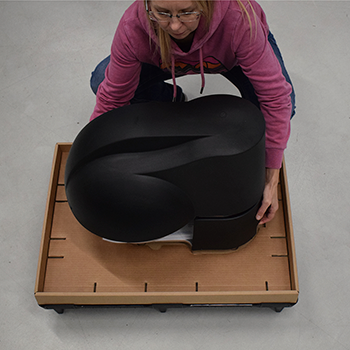
PICTURE 6 lifting the instrument off the pallet
Unbox the VideometerLab in Flight Case
In this video, you will learn how to unbox the VideometerLab when receiving it in a flight case.